![White Teledentix Logo.png]](https://help.teledentix.com/hs-fs/hubfs/White%20Teledentix%20Logo.png?height=40&name=White%20Teledentix%20Logo.png)
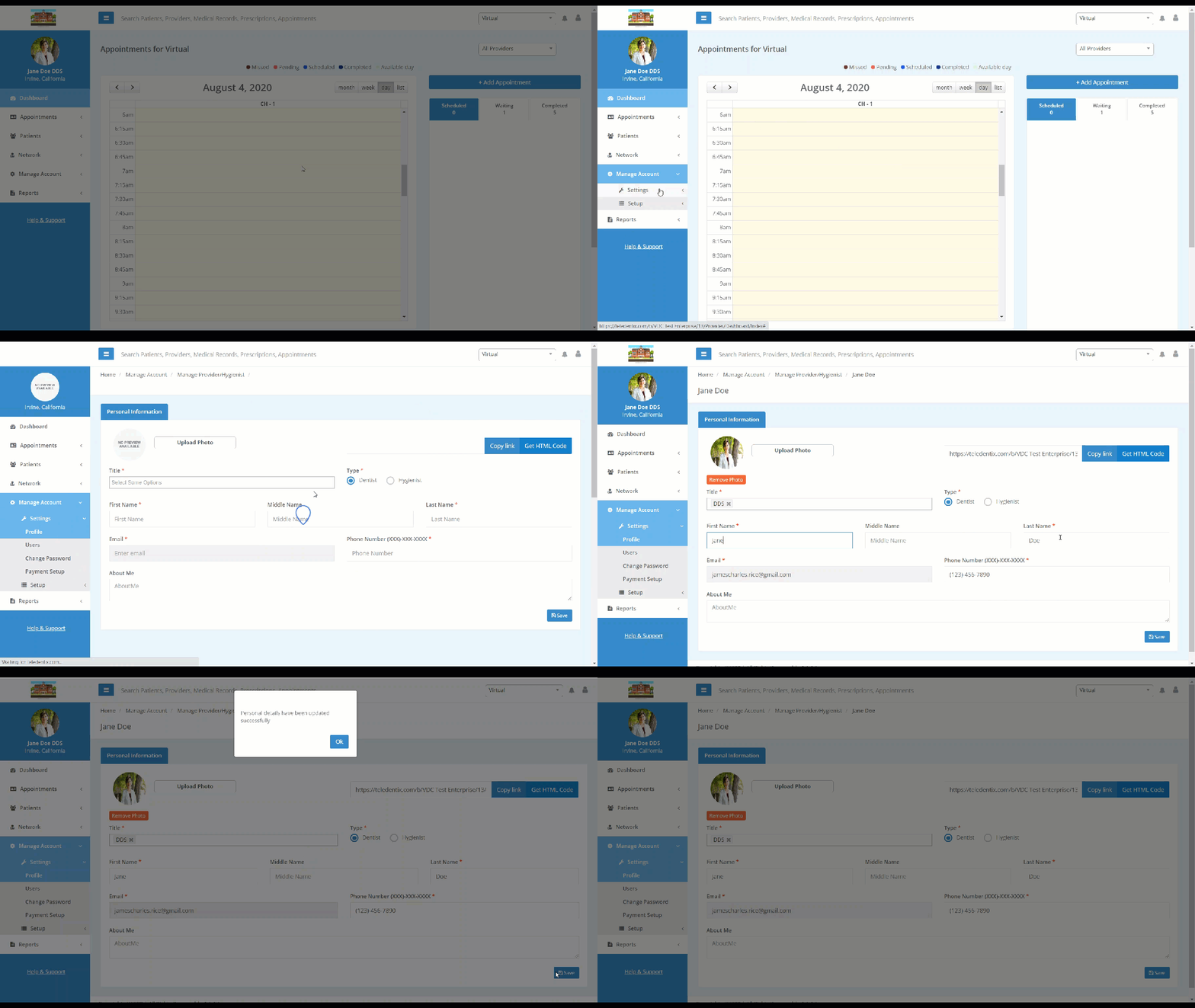
In order to edit your profile information:
- Select "Manage Account" from the left-hand side dashboard list.
- Select "Settings" from the drop-down list.
- Select "Profile" from the drop-down sub-list.
- On this page, you can edit your profile information, such as: name, about me, title, etc.
- When you are finished editing your information, click "Save" on the bottom right-hand side of the screen to save.